





TRADE REPLAY
Your fills, back on the chart, bar by bar.
The journal tells you what happened. Replay shows you how it happened - every buy and sell where you actually clicked it, playing forward at whatever speed you can stand to watch.
Included with Pro Starter and Pro Advanced. Runs on trades already in your journal, synced or imported.
Trade or a whole session
Asset classes replayable
Setup, it reads your sync
A session review, honestly
You remember the outcome. You do not remember the four bars where you changed your mind.
THE ENTRY
Early, late, or never planned
Your buy marker sits on the bar you actually took. Watching the twenty bars before it is usually enough to tell which of the three it was.
THE EXIT
Cut early, or held past the peak
The timeline marks the best moment the trade ever offered and puts your exit beside it, in dollars.
THE MIDDLE
The management you improvised
Adds, trims and stop moves appear in the order you made them, so the trade reads as a sequence of decisions instead of one number.
THE HABIT
The one you keep repeating
Tag what you see - FOMO, revenge trade, cut winner early - and the pattern stops being anecdote and starts being a count.
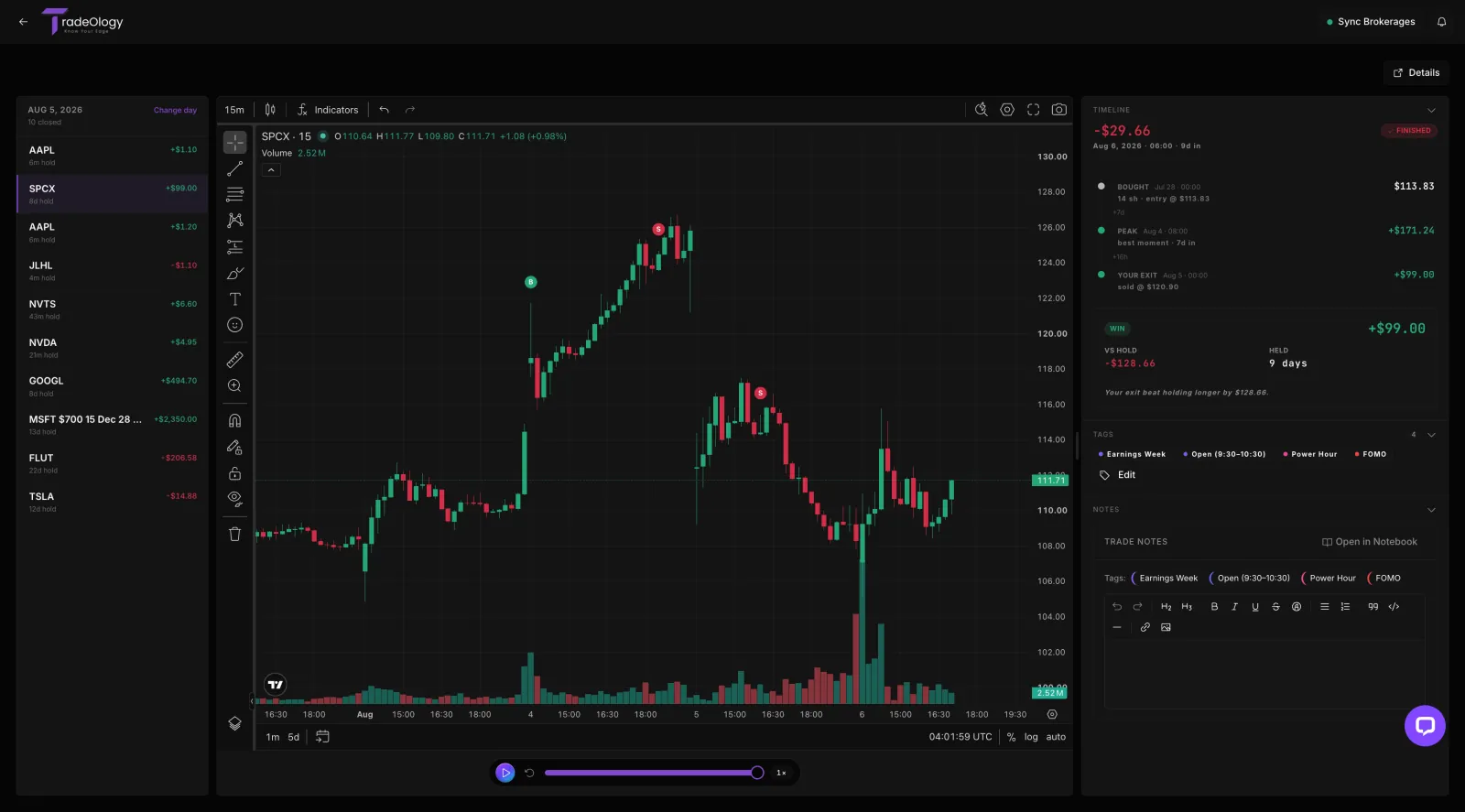
Playback with your fills pinned
Press play and the chart prints forward, with your real buys and sells landing on the bars where you made them.
Speed is the whole trick. At 1x you re-live the trade; slowed down you notice the bar where your reasoning quietly changed.
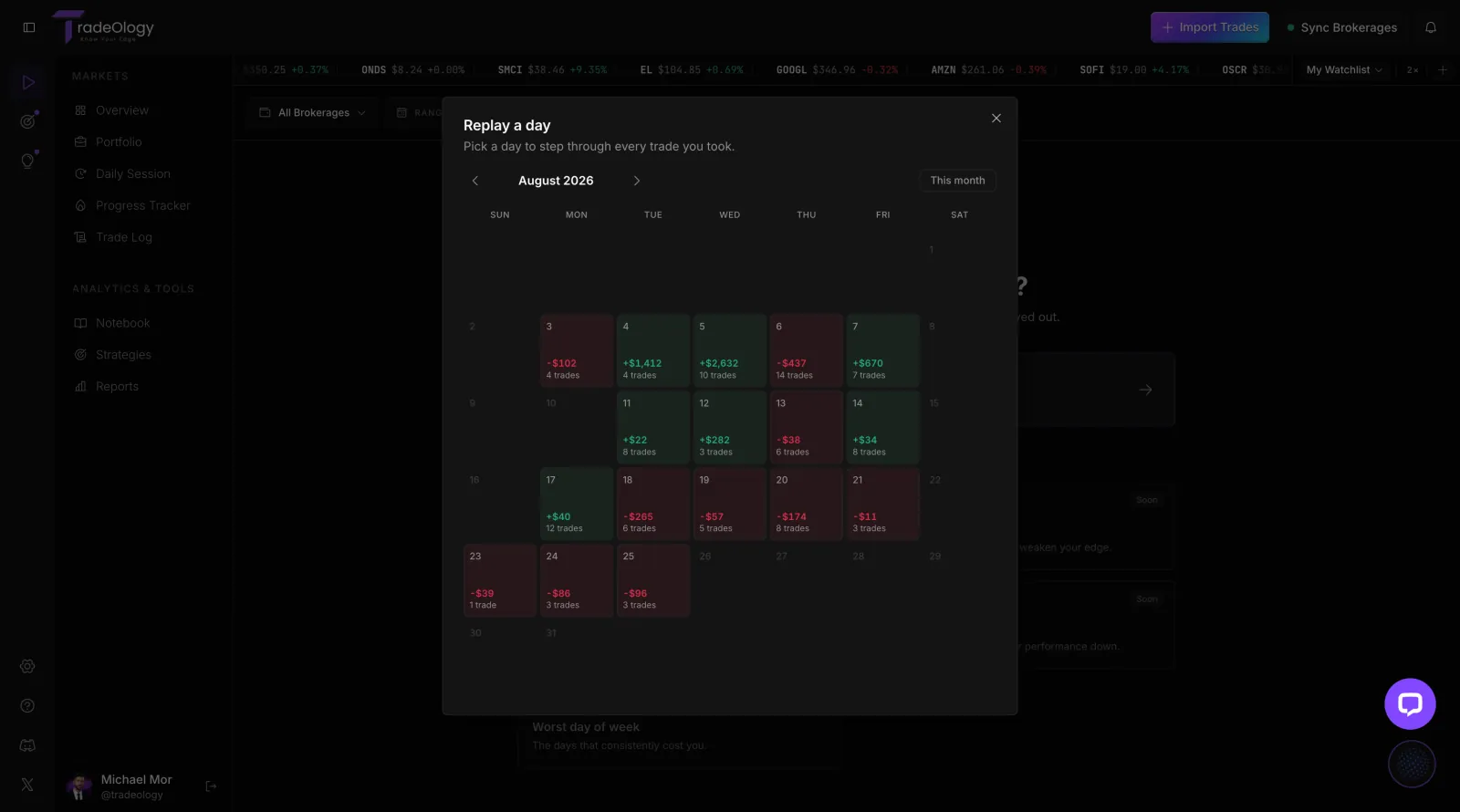
Replay a session, not just a trade
Pick a day off the calendar and step through every trade you took on it, in the order you took them.
Sequence is the point. Trade three looks reasonable on its own and obviously tilted when you have just watched trades one and two.
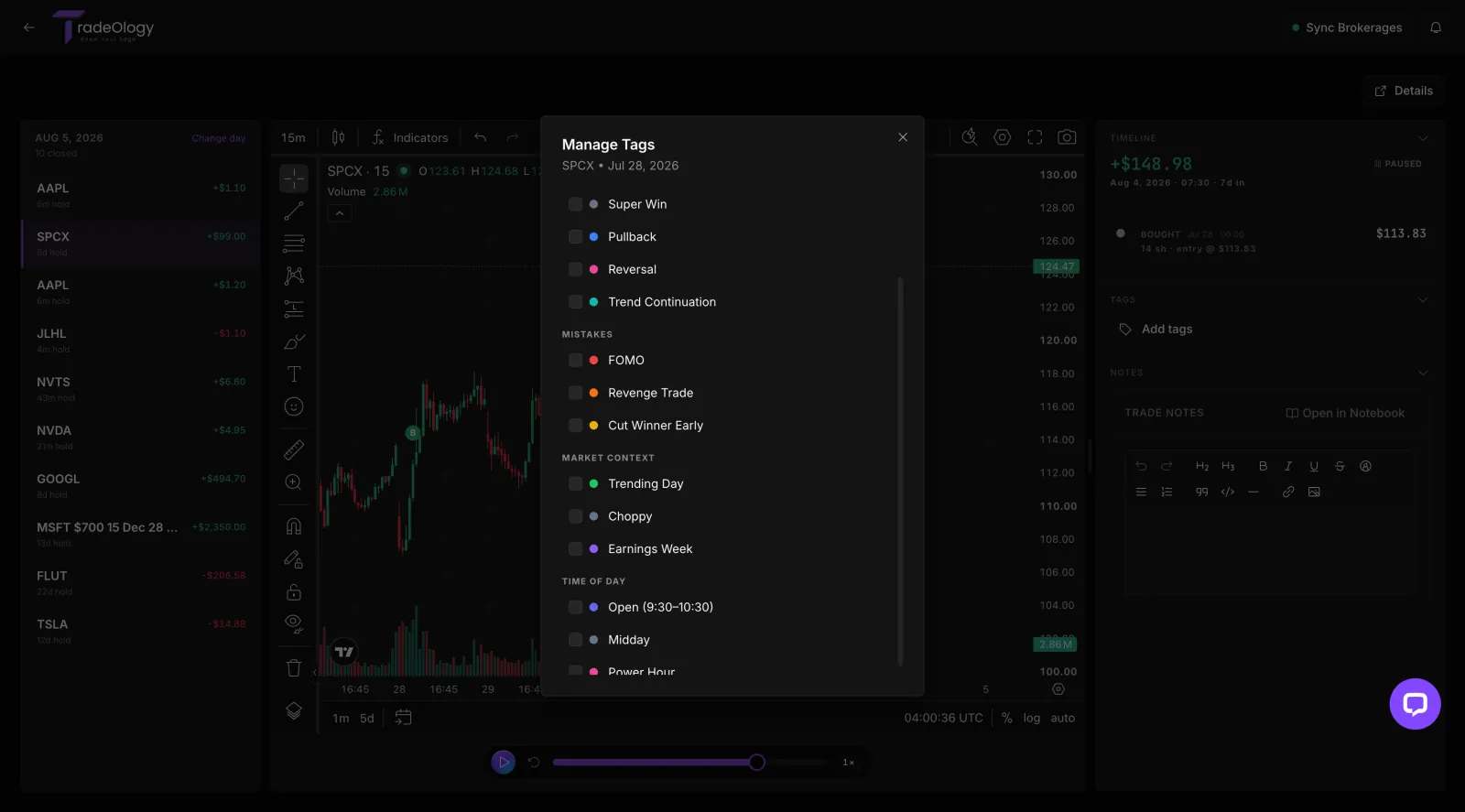
Tag the mistake, write the note
Name what you just watched while it is still on screen, in the same categories the reports read.
This is the step that turns a replay into an edge. Untagged reviews feel productive; tagged reviews add up to a report at the end of the month.
THE VERDICT PANEL
Beside every replay, what the trade was really worth
Bought, added, peak, exit
Every event of the trade in order, each stamped with its time and price, so the position reads as a sequence of decisions.
The peak marker
The most the trade was ever worth while you held it - the cleanest measure of what you left on the table, or gave back.
Vs hold, in dollars
What doing nothing would have paid. "Your exit beat holding longer by $128.66" is a sentence you can act on; "I should have held" is not.
HOW TO REVIEW
Ten minutes after the close, three steps
Replay the worst trade first
Open the day, sort to the biggest loser, and watch it from twenty bars before your entry. Do not skip to the exit.
If you only ever do this step, you will still be ahead of most journals.
Say what you see out loud
Was the entry the setup you planned, or the setup that was in front of you? Was the exit a rule, or a feeling?
Write it in the notes panel while the chart is still open.
Tag it, then close it
Pick the mistake tag, close the replay, and let the reports count it. One tag beats a paragraph you will never re-read.
At month end, filter the journal by that tag and price the habit.
WHAT IT REPLAYS
If the trade is in your history, it can be replayed
Replay reads the same synced record as the journal, so there is nothing to import twice and nothing to reconcile. Option contracts carry their own fills, and futures their multipliers.
Stocks
Any symbol your broker reports, any hold length.
Options
Each contract replays on its own, with its own fills.
Futures
Contract multipliers respected in the P&L.
Crypto
Same log, same replay, same reports.
Multi-timeframe
5-minute to daily, switchable mid-replay.
Multi-day holds
Swing trades replay across sessions.
ONE RECORD, TWO SURFACES
The journal tells you what happened. Replay shows you how.
It reads your synced history
Replay runs on the same broker-synced record as the journal. Nothing to import, nothing to line up, no separate replay library to maintain.
See the Trading Journal ›What you tag here counts there
Tags and notes written during a replay live on the trade, so the calendar, the reports and the strategy stats all pick them up.
Reports and metrics ›Then practice it in the Simulator
Replay shows you the exit you should have taken. The simulator, on Pro Advanced, lets you take it a hundred times on bars you have never seen, with no money at risk.
See the simulator ›The Best of the best.
I'm very new to Tradeology and ran into two issues early on. Both were fixed in record time—without me even having to ask for help. I'd flagged both problems to the AI bot, and before I knew it, Michael Mor reached out to me directly by email.
The first issue was that my broker wasn't listed for uploads. Within 24 hours they had it added, and I was able to upload my trades. The second was a trade I'd scaled into that wasn't reporting correctly—again, I was contacted by email and it was resolved almost immediately.
That kind of proactive support tells me they're an A+ organization striving to be the best. They have my vote.

Arnie P. · US · on Trustpilot
Replay questions
Historical price data for the symbol and window you traded, with your own fills from the synced broker record drawn on top. You are watching the real bars, not a simulation of them.
Start with yesterday
Pick the last day you traded, press play, and watch the session back. The trade you would rather not look at is the one to start with.